
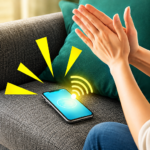
Clap to Find My Phone: Whistle provides a method for locating a misplaced Android device through sound cues. Users can prompt their phone to respond by either clapping their hands or whistling. Upon detecting these sounds, the app triggers an alarm, a distinct vibration, and activates the device’s flashlight. This combination of audio, haptic, and visual feedback is designed to help users quickly find their phone, even if it’s in a dark room or hidden from view.
Locating Your Device with Sound Cues
This app enables you to find your Android phone using specific audio triggers. The primary methods involve either a distinct clap or a whistle. Once the app is running and configured, making one of these sounds will prompt your device to emit a response, helping you identify its exact location. This feature is particularly useful when your phone is nearby but out of sight.
Customizing Alert Responses
The app allows for personalization of how your device responds when it detects a clap or whistle. Users can configure the alert to include an alarm ring, a personalized vibration pattern, and a flashlight alert. The flashlight option is specifically highlighted as valuable for locating a device in dark environments, providing a visual cue in addition to the audible and haptic feedback. Settings for these alerts can be accessed within the app, where you can enable or disable the vibration and flashlight features.
Workflow for Activation
To begin using the app, the process involves downloading and installing it on your Android mobile. After opening it, you access a settings button where you can configure the clap and whistle detection features. Within these settings, options are available to turn on vibration for alerts and to activate the flashlight alert. The app also allows users to check the date and time of alerts. Once configured, the app will respond to your claps or whistles with the chosen alerts. The interface also supports both a Dark mode and a Light mode.










Write a review